
Planning: who goes where, and with what
Zetein's planning is the list of what needs doing on each project and of what each person has to do. The office organises it on the computer and each field worker carries it on the phone.
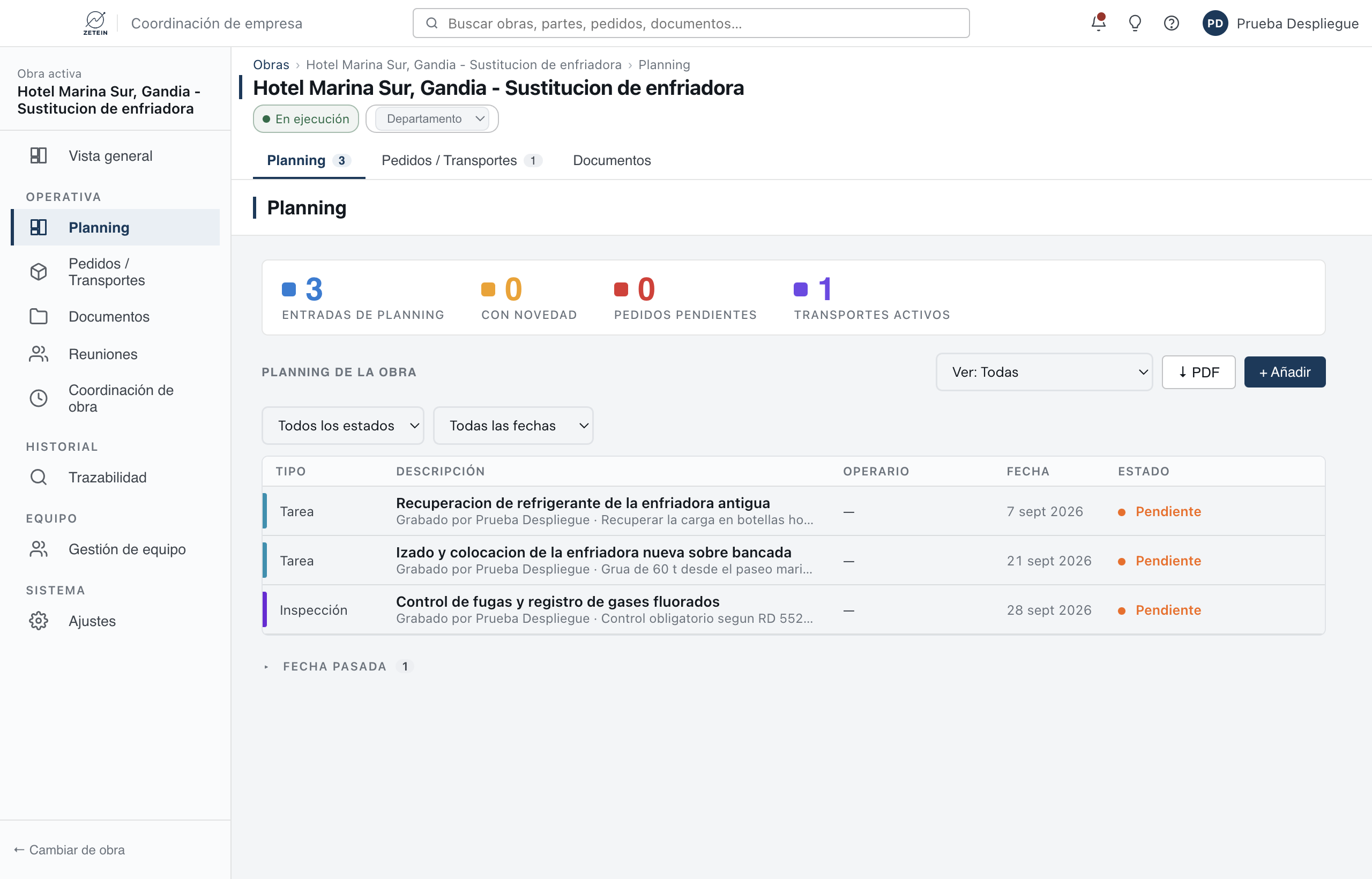
What goes in the planning
- Tasks: the work to be done.
- Work starts: when a phase begins.
- Deadlines: when it has to be finished.
- Inspections: your own checks or a third party's.
- Progress: how the project is going.
- Meetings and transport, which also appear in the planning.
How it looks
Entries are sorted by date, nearest first. When they belong to several people, they are grouped by field worker, and those with no assignee go under “Unassigned”. Those already past their date are gathered separately, under “Past date”, so they neither get in the way nor get lost.
In the overview, the office sees all projects and all field workers, and filters entries by status (not done or done) and by date.
On the field worker's phone
On opening the app, field workers see their projects and, if they have one, their individual planning. Inside each project they have the planning with the details of each entry: type, date, description, photos and who added it. They can also add an entry themselves, with its photos.
Each entry has its own conversation: replies can include text and photos, and each message keeps the name of the person who wrote it and the date.
The phone notifies even when the app is closed, and each person chooses which notifications to receive. For a meeting or a visit with a set time, it can remind you 15 minutes, 30 minutes or an hour before.
Jobs that are not part of a project
Not everything is a project. Each field worker can have an individual planning for one-off jobs: a visit, a maintenance job, a call-out. There, the field worker marks each job as done when finished, and the office sees it in its planning.
What it solves
- The early-morning calls to find out who goes where.
- Loose messages that nobody can find later.
- Tasks that nobody owns.
Questions
Can a field worker see colleagues' work?
On a project, yes: the planning shows all the entries on the project they can see, not just their own.
Who can delete an entry?
Field workers only delete what they created themselves. Everything else is deleted by the office.
Can projects and people be grouped?
Yes, by departments: folders to group field workers, project managers and projects, and to filter by them. They are a way of organising; they do not change permissions.
Does it work without signal?
Yes. What is added or answered without signal is saved on the phone and sent when the signal returns. What works without signal.