
Plans, photos and work reports, in their project
Each project has its documents: plans, diagrams, photos, delivery notes and signed work reports, organised in folders. The office uploads them from the computer and field workers open them, and add their own, from the phone.
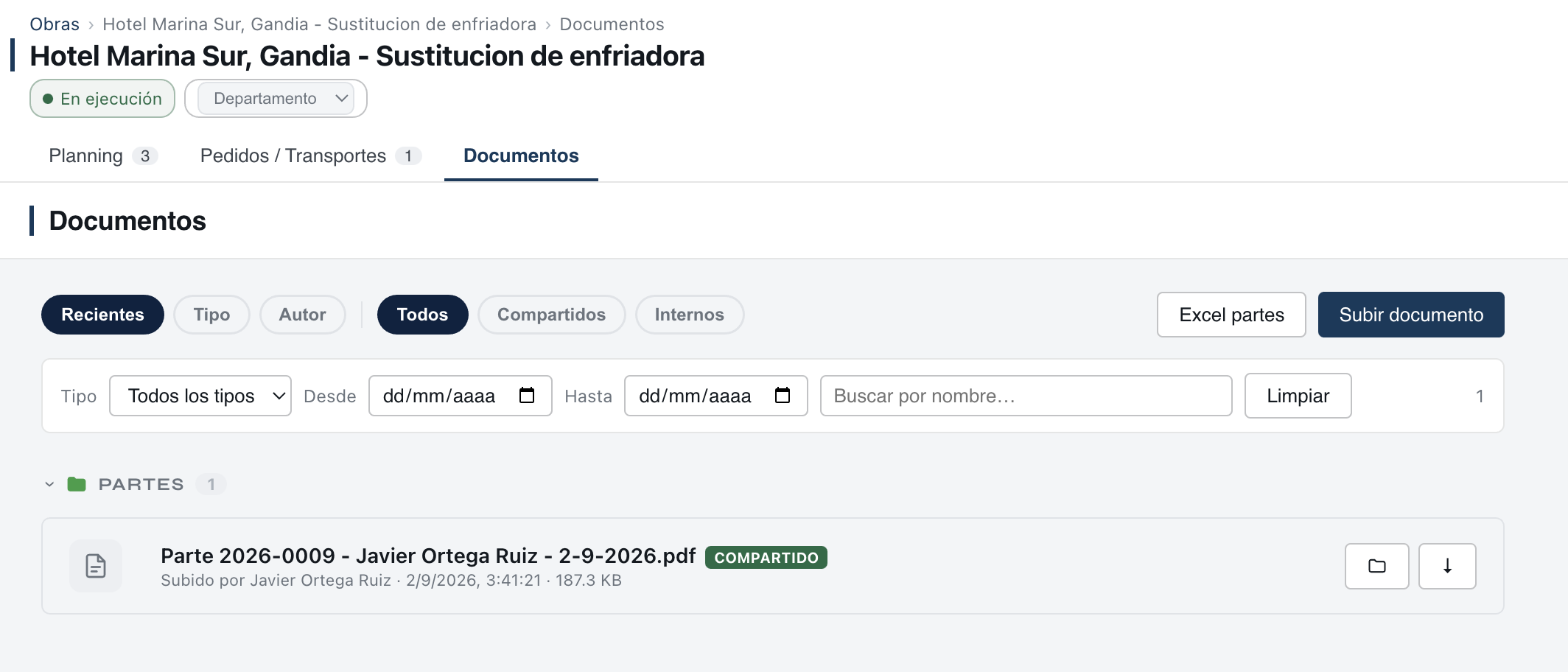
How they are organised
Documents are kept in folders: documentation, work reports, plans and diagrams, and delivery notes, plus any the company creates. A document can be moved to another folder when needed.
On the phone
- Open a document, save it to the phone or share it.
- Upload a photo or a video to the project, with its title and in its folder.
- Take notes and draw sketches by hand. Notes are private until they are uploaded to the project's documents.
- Documents cannot be deleted from the phone.
Signed work reports
The PDF of each work report is filed automatically in the work reports folder of its project. How work reports work.
Who sees each document
On a project without subcontractors, documents are seen by the company. On a project with subcontractors, each document is set when it is uploaded: internal only, shared with the whole project, or shared with the subcontractors selected. In the list, each one carries its label: internal or shared.
Good to know
Viewing the list of documents and opening them on the phone needs coverage. If you are going somewhere without signal, save what you will need to the phone beforehand.
What it solves
- The plan that only the foreman has.
- Project photos sitting in everyone's camera roll.
- The delivery note lost in the van.
Questions
Are documents encrypted?
The content of documents is encrypted on the company's devices before being sent. Document names are not encrypted. See security.
Can a field worker delete a document?
No. Documents cannot be deleted from the phone.
Can a subcontractor see my plans?
Only if you share the project's plans with it, and only the documents you have not uploaded as internal.